Written by IllusoryThrall Updated: 1/16/25 (through Life & Death) Main Rules & Gens 1-9 Updated to Version 2.0 (through Adventure Awaits) (Exception: the lot reference is still wrong right now… but I’ll fix it)
Note: This is under construction as of 8/7/2025. I will remove this notice when I’m done! During this update, you may see discrepancies in the generation numbers!! Note2: The Tracker is now in beta for this challenge, updated through gen 5! You can find it -> here <-
2.0 Progress Completion
21%
I am adding a number of features and generations to this challenge, and unfortunately, the new way I’m setting up the challenge pages is very time consuming, so I can’t just copy paste everything in and have it work right away… so I will have to do it a little bit at a time. The first generation will not be changing, however, so if you’re going to restart the legacy, this is the PERFECT time to do it, as the additions I am making start as early as the SECOND GENERATION and will make the over-arching story make more sense. (I hope!) My goal is to do a little bouncing back and forth between ENSB 2.0 and Timeline 2.0 to give my brain breaks in-between, so please, bear with the process!! I WILL leave the FULL old rules up until I have fully completed the new rules! (So, yeah, there will be two rule sets for a while… sorry!!) Thanks for your patience! ~Thrall
Introduction to the Challenge:
Welcome to the Timeline Adventure Challenge! This is a story-based generational challenge that will take you through history from the Stone Age into the fantastical future. It is not for the faint of heart, as it spans nearly 50 generations. I based the rules off of having all of the expansion packs (excluding the Star Wars one) and I will be trying to keep this updated with new packs, but it would still be possible to complete if you’re missing some by either skipping the generations pertaining to the missing pack or changing the goals for that generation. Also: if you are too scared of the full 40+ generations, feel free to pick and choose which generations to play as you go (although you’d miss large parts of the story) and just have fun with discovering history. There is also a hefty dose of fantasy in this challenge, and it does include the Supernatural Occult states. The Sims game itself requires some imagination to play, and so does this challenge. If this isn’t up your alley, you could either skip the more fanciful generations or find a different challenge. This challenge follows a family dynasty that starts in Europe and eventually comes to the USA, so expect the history involved to follow that track, as well. This is not so much a building challenge as it is a game play and “Legacy” challenge, and, to that end, I will be providing lots I have built for each generation and era. You are NOT required to use them, however. I highly encourage building your own lots – I’ve had as much fun researching the architecture as I have playing the challenge, however, I didn’t want this challenge to be inaccessible to non-builders. The provided lots are linked from a greenish box at the end of each generation’s rules and will be filled out as I work my way through testing the whole challenge. I have also tried to make this challenge appropriate for all and as family friendly as possible, though I honestly would recommend this be played by people 14 years old or older. History was pretty brutal at times, and – since this follows history – this may not be for everyone! There will be death and woohoo, however, as those are things that really can’t be avoided.
One final note: this challenge truly is designed for storytellers at heart. If that storytelling means your story takes a different turn from what I wrote, THAT’S OKAY!! Mine is simply a suggestion. Also: if you want to use CC or mods, have at it. This challenge very much lends itself to be especially fun to play if you’re willing to get some mods or CC that will help you immerse yourself into the time period.
This challenge is designed for those who have all the Sims 4 Expansion, Game, and Stuff packs. However, if you don’t - you can still use these rules, simply skip the generation(s) of the packs you don’t have, or swap out listed traits, careers, aspirations, or goals for ones in packs you DO have. Use your discretion here, I don’t list what to replace pack-specific things with as some generations would be nearly impossible to recreate without having that specific pack.
THIS IS AN ORIGINAL CHALLENGE! While I am very much okay with people using my ideas as a jump-off point, please. Be considerate. ALL of my challenges have been crafted with love by me, and I adore them. They've been made to be SHARED FREELY (emphasis on the free). Please don't re-sell my work. That's just not what they were created for and is just rude! Thanks!
I am updating these pages to be more spoiler-free friendly. I want all the info you need to be in that generation, so that if you want to be surprised at where things go in the next generation, you can wait to open the next accordion section to read the next goals! Plus, it just looks cooler. Hehehe!
How to play this challenge: YOUR WAY!! I am of the opinion that it is my job, as a Challenge Writer, to inspire you, the Challenge Player. What, exactly, does that mean? It means that if you are uncomfortable with a rule, or - hey - maybe it inspired a different story idea... well, then change it. My rules are not written in stone. They're meant to be a starting point. Some people play and need the rules for the structure to their gameplay. They need the direction. Some, on the other hand, really just want to use it as a suggestion. BOTH play methods are absolutely okay! Want to combine this challenge with someone else's? Want to add more generations to it? (I don't know why it would NEED more, though?... LOL!!) GO FOR IT. Play your game in a way that is fun for you. I can write a challenge for my typical playstyle, but that doesn't mean it has to be yours, too. My only ask is what I said in #2 up above: be respectful. I created these to be used and shared, not sold or "stolen." If you use my rules as a starting point, please give me some credit for coming up with them. If you add more generations: please LINK back to my website for my generation rules instead of writing them out on your website, then continue with your own rules.
Tiny Homes: No Tiny homes (of any size) until the modern era (Generation 31 - approximately 1970). Tiny homes are about reducing your footprint for the environment, and that wasn't a thing before then.
High School Years: High schools started becoming a "thing" in the 1880s, but it really was only in the major cities. Based on where the sims are living and the stories, I suggest waiting until the 1920s (Gen 23, when they move to San Myshuno) before following any teen to high school.
After School Activities: Scouting started around the 1910s, but I would suggest waiting until the 1920 generation to start enrolling your kids in scouts (Generation 23). High School Sports and Drama club should, similarly, be avoided until the 1920s as well. Chess was, obviously, a thing for a long time, but Chess clubs wouldn't have been a thing in high schools ... well, until after High Schools. So, 1920s for that, too. Computer clubs, obviously, wouldn't have started until after computers... so, I would wait until 1985 (Gen 35) for that.
Discover University: Can attend University starting in the Renaissance period (gen 9) but must study from home - with the exceptions of WW1 (gen 22), The Great Depression (gen 25), and WW2 (gen 26) - where you will not be able to attend university at all. There is one generation that you will be actually living in Britechester, but I'll leave you to find that out on your own.
For Rent: You are welcome to use apartments as a base for your home family or for the other "townie" residents at any time, however, be aware that this particular feature can still be rather buggy, and building on an apartment lot out of gameplay is - quite frankly - a nightmare. So be warned.
Lovestruck: I would restrict the use of Cupid's Corner and blind dates until later in history, but I will leave this up to your discretion.
Life & Death: As for the Soul's Journey and playing as a ghost (as well as reincarnation)... I would recommend AGAINST using it for most of the challenge. There ARE generations that require it's usage, but for the rest of the challenge, it just doesn't make sense because of the way I wrote the story. However, if your story requires some cheeky resurrection or ghost gameplay, have at it. Remember. This is about having FUN!
This challenge is meant to be a fun way to learn about history, not a rules-and-restriction heavy challenge, so I don't actually restrict the items you can use - but use your head. If they didn't have something back then, maybe your sims shouldn't have it, either. Feel free to use Google to find out when items were invented if it makes things more realistic and immersive for you.
Cheating: If it doesn't make the game easier, you can do it. What I mean is... you cannot give your sims extra money or traits or satisfaction points, for example, but you CAN do things like Move Objects ON and resetting stuck sims, etc. Basically, play the game as "fair" as you can. If your game gets bugged - do whatever you need to do to get it back to playability. That INCLUDES cheating.
Mods: I leave this entirely up to you. I do highly suggest using MC Command Center by Deaderpool, for the simple reason as it allows you to let your children and teens quit school for the generations that they need to. Yes, this challenge can be played completely "vanilla" (without mods or CC). But it can also be played with mods. I don't discriminate. You do you! However, try not to use anything that makes things EASIER on you. This challenge has been tested, it works as it is, and it's designed to actually be a bit of a challenge for the player.
Medieval Cookbook Starter Recipes - the recipes you'll need for the above mod. (there are also ovens that work with this mod, and other recipes... and even some of her mods that change how fires work - requiring you to collect firewood and such.
Hunting & Foraging Mod - Also by LittleBowBub, allows for you to get more of the ingredients you'll need.
Off-The-Grid Music Box: for off-the grid music (this mod author, Naunakht, has a number of off-the-grid historical items, be sure to check their stuff for more!)
Clay Oven (off-the-grid) - requires a couple of other mods to work, but you can do Gourmet meals off the grid with this.
Keep Sims in Home Region - helps with immersion, you can set up sims for each zone and move the non-compliant sims to other areas.
If you do NOT finish the goals by the time your chosen heir, you must replay that generation (or pick a different "heir" and give yourself more time). Saving a backup save at the beginning of each generation is highly recommended.
To do this, just do a "save as" and name it something you'll remember, like the number of the generation.
Then, "save as" one MORE time, and save back onto your play file (or, indeed, another play file, if you'd like.) You do this twice so that the beginning of each generation is saved, in case you should need to start over should something catastrophic happen, and you still have a "play" save file to continue play with!
Family Museum: I highly suggest making a "museum" for your sims if you have any intention at all to work on any of the collections. Very quickly, your inventory starts to fill up, and there's always the issue of sometimes forgetting to transfer the inventory... etc. To do this: I suggest buying a "retail lot" (My Suggestion: Place it in Magnolia Promenade where nothing happens anyway) and storing all your collection stuff here. The ownership will transfer from generation to generation, and you never have to open it as a retail lot. It won't add to your bills, and doesn't prevent you from owning any other venue, so this is really the very best option.
I uploaded a "blank" museum for downloading and filling: History Collection Museum. (Designed to be placed in Magnolia Promenade. If you are keeping your collections here, traveling once at the beginning or the end of your generations - your choice - would be allowed even if it's before travel - because you're just dropping off your heirlooms, really!!)
Also, I suggest making a family Cemetery somewhere in your save’s world and collect all graves from your family there.
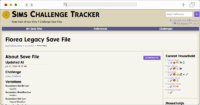
The new tracker is finally up! It's in Beta, but please check it out and let me know if you have any issues! You can find it -> here <-
Note: I will not be updating the old tracker for this challenge anymore!!
Each generation will have specific towns and districts you must live in and certain lot traits or challenges each “house” must have - pay attention to these and don't forget to add them. By the end of the challenge, you will have your whole world built up with historical lots. By choice, I only update the commercial lots (listed in blue above) as time passes and let the previous generations' residential lots stay as-is as sort-of a "memorial" to time gone by. You are welcome to update them as you go, but it would be a crazy hard undertaking.
No travel to ANY lots inside your world other than your home lot until that type of commercial lot has been unlocked, or there is actually a landscaped residential lot there. (Does not have to be occupied.)
Feel free to update your commercial lots once each has been unlocked as you progress through the ages, to make them fit the time period. (Also: remember this may mean moving the lot to a new area since travel to other towns and districts is restricted until specifically unlocked.)
Unless specifically mentioned or designated as "commercial districts" (the blue list in the start-up instructions), don't build lots in other Neighborhoods than the one you have listed for that generation. (This particular rule is OPTIONAL: If you wish to build the whole World up each time, that's your choice. It will make more work for you, but there will possibly be more room for other townies to interact with.)
Travel to Worlds other than your hometown is restricted until Railroads connected the country for passengers in Europe - which was in 1831 (Generation 16, the Regency Era) - or if specifically mentioned in the generation. I.E. If your home district is in Oasis Springs, no traveling to Willow Creek or any other town. Similarly, travel to the "destination worlds" (Granite Falls and Selvadorada) is locked until Generation 16, or if mentioned. This means no contact with any family that doesn't live in the same town as your currently played family until Generation 16! (Moving your relatives to the town you moved into is at your discretion. Some generations, this simply doesn't make sense, but others, the family moving with you would still follow the story.)
BATUU IS NEVER TO BE USED FOR THIS CHALLENGE!
This challenge is meant to be a fun way to learn about history, not a rules-and-restriction heavy challenge, so I don't actually restrict the SPECIFIC items you can use - but use your head. If they didn't have something back then, maybe your sims shouldn't have it, either. Feel free to use Google to find out when items were invented if it makes things more realistic for you.
That being said - use as much or as little CC as you like for each generation. Part of the fun of this challenge can be immersing yourself in the time period and finding the CC to work with that generation.
When building for this challenge, you have two options: build it yourself or download one of my lots to go from. Granted, I do not have all generations built - yet.
If you're building yourself, feel free to Google and find out the general architecture of the time. This, for me, was part of the fun of the challenge - finding out what was available at the time and then building it.
Note on Lots that are listed on the Generation pages: I will be building pre-built lots and putting them on the gallery with the tag "#timelineadventure" and my gallery ID - IllusoryThrall - as I work through the challenge myself. I will link each generation's pre-built lots in boxes on each generation - so if you're not a builder, you can still easily play this challenge. I will eventually get to building lots for all generations, but for now it's just the first few generations that I have completed. All lots mentioned on these pages are CC-free and playable! Also, if you build a lot that qualifies as those two things and want it included in these lists, please just drop me a message or a comment!
Step 1: When you're starting a generation, the first thing you need to do is make sure that 1, your goals for the previous generation are done, and 2, that your heir is at the right age to start the next generation. Some generations require a Young Adult to start, while others will require you to be a teen to start. Check carefully in the rules to see which it is!
Step 2: Identify where you're moving to. The next generation will say what World and Neighborhood you'll be moving to. From there, you can pick any lot in that Neighborhood to move to. In fact, you can pick one lot to start on and then plan to move to another in that same neighborhood if you choose.
Step 3: There are two ways to move.
During early generations, you will likely want to have as much money as possible, so you can use this method to move: Use the phone, select "Move Household", then move the entire household to the next lot. When prompted, click to sell all furnishings. Move to the next generations' house/lot and hit pause as soon as you load. Go back into Manage World and click "Manage Households". Choose the family in question and click the button with the two arrows - to transfer sims. Create a new household on the right and move all but your heir to this house, leaving the money alone. This will prompt you to create a new household with no funds. Say yes. This will leave your heir alone in their new home with all the work you've done intact. One further note: if you're like me, you don't want to leave your old family "high and dry" as the saying goes. Take your relatives and move them back into the old home. While moving, it will show that you can't afford to move them in. Fix this by opening the cheat code window, typing in "testingcheats on" then "freerealestate on" - and voilà, the lot will be purchase-able. Once they're all settled back at home, turn cheats back off with "testingcheats off", save as a new file (so you leave yourself a backup save in case you need to replay the generation) and load up your heir's household. You're now ready to play. This seems like a lot of trouble, I know, but NOT doing this will make the challenge next to impossible to play (at least in the early generations) ... so just trust me on this. If you want to stop doing this elaborate way of moving after the first few generations, that's up to you.
For a simpler way to move, or for later generations, simply go to manage households and "split household" take as much money as you'd like, leave your family with whatever you feel is right, and split your heir into their own household. Once they're there, you can then move them into their new lot with their starting money.
Step 4: Landscape & build your home. Obviously, this will be dependent on the amount of money you managed to get for your heir. Be aware of your budget and try to leave yourself SOMETHING to live on. Again, you have some choices here. you can download one of my lots (listed in each generation) and edit it... or you can build completely by yourself. Either is okay!
Step 5: Check on your generation's rules, and make sure you have all the Lot Traits and Challenges set up that you will need!
Step 6: Go back to Live mode and make sure you have the correct Holidays set up.
Step 7: This is the most important step of all: Do a SAVE AS and save a side save as a backup in case the generation goes awry, or you'd like to restart it at a later date. Then, do ANOTHER SAVE AS and save over your "play" file. This will mean you have a backup ... just in case.
You're ready to go!
Any of your children can be heirs. If a certain gender is required, it will be listed in the generation you're working on, as well as their required traits and aspiration. However, if your heir is female, she must take the last name of her husband up until generation 22 (WWI). After that, a female heir can keep her maiden name if she so chooses. I try to specify heir gender as few times as possible, and the first half (or more) of the challenge should probably have all been boy heirs, but I purposely didn't specify so that you can make your own story if you want to.
Same-sex marriage: This wasn't really legal until the 2010's (Generation 39), so try to stick with spouses of the opposite gender until then (this also makes having heirs easier). That does not mean you can't tell the story differently and have a same-sex partner "on the side". From Generation 39 on, feel free to choose whatever gender your sim prefers and, if necessary, go to adoption to produce the children required for that Gen.
For the purposes of this challenge, assume that interracial marriages are always okay - I know this wasn't always the case, but picking and choosing the race of your partners by generation/era wasn't something I wanted to get into
On the generations where your child cannot go to grade school (the first few generations) - I was informed while testing the challenge that Social Services could take them away if they don't get their grades up. However, there are a few ways around this.
1. Use MCCC and have the kids "quit" school. (recommended)
2. Cheat them up a grade level so it's not a problem. (Use the careers.promote gradeschool cheat - not losing your kids is an exception to the "no cheats" rule)
3. have them take their vacation days they get (3 of them) towards the end of their school days while you wait for them to age up.
4. Wait and hope they age up before they get taken.
For the "spares" or extra kids, you are welcome to choose traits in any way you wish. You can randomize, or just pick. Your choice.
Any sim in the game can be made-over by you if you choose. This includes anyone you move into your home, spouses, children, etc.
IF YOU HAVE MORE THAN 8 SIMS IN YOUR HOUSEHOLD via a mod:
DO NOT go into CAS in any other way than this:
Click on the sim in question, choose "MC Command Center". The first option will be to edit the sim in CAS. This will keep the rest of the family safe and only allow you to edit the one sim in question.
As for CAS CC, have at it. If you feel it'll help your immersion (I know it helps mine) ... then grab as much CC as you'd like.
The MAIN way this challenge works is through completing goals. If a Generation says to do a Career, an Aspiration, or even a Skill - the intention is for the sim in question to MASTER it - in other words, maxing out the meters, getting to the highest promotion, etc. If you only need to get to a certain level, or finishing that goal is optional, I will list that in the Generation Rules.
Now, what this means - is sometimes, it will take some real work to finish the Generation's goals and be prepared to move on to the next Generation. THEREFORE... you should carefully plan when to have your children and/or heirs. Sometimes waiting is a good idea, just to give yourself enough time. (For example, my personal rule of thumb for getting to Level 10 of a career is waiting to have the baby until the sim is at the very least at level 6.) If you have to have kids at a certain point in your Sim's life, I will state so in the Generation Rules!
There will also be some other goals for each Generation (other than maxing things) - but all will be expressly stated in the Generation Rules.
IF YOU DO NOT KNOW HOW TO DO A GOAL:
I assume that you can and will look up how to accomplish the goal from guides online. Google is your friend. Sometimes, for particularly hard goals, I will give some hints, but I assume that you either know how to do most things in sims... OR that you are more than capable of looking up how to do that item! This is about learning the game, so looking things up is OKAY and ENCOURAGED!
Step One - PAUSE YOUR GAME - once your game is paused, don't unpause it for more than a few seconds as you are getting things ready for the next generation. You'll want all the time you can get to finish your goals for the next Generation, so try to lose as little time as possible in set-up before you actually start play in the new Generation!
Step Two - SAVE YOUR GAME - always better safe than sorry!
Step Three - Now that you have the most important part out of the way, we can move on. The main thing to do here is BREATHE. You just finished a Generation - CONGRATS! (And for me, this is the most fun part... you are now getting everything prepped for the next generation - which will be a completely new set of goals, backstories, Neighborhood, and vibe. I've been very careful to make each new Generation be something fun and new and different, so that every Gen FEELS like a new challenge!)
Step Four - Check the Rules again. Did anything unlock after the Generation you just completed? Make sure you make a note of it. If you need to change a game setting, now is the time to do it.
Step Five - Transfer any inventory you wish to take with you from whoever has it to your Sim's inventory. This includes collectibles for the Family Museum.
Step Six - Is there anything your Sim can't carry and you want to include? (family photos, collectibles, etc) Carefully put all of these into the Household inventory, and sell off anything that's in there that you don't want or need the next generation.
Step Seven - Now this is where things get a little messy. If you had any things in the Household inventory from step six, you WILL need to use the "Option 1" moving method when starting the next generation. If not, you can simply use the Household split method from "Option 2" in the Starting a Gen instructions (a couple tabs left of this one) Make a note here of which one you will need to do.
Step Eight (optional) - If you have things in your inventory that need to be "dropped off" at the Family Museum, take your heir (with said items) and travel with them to the Museum location.
PAUSE IMMEDIATELY, then drag all these items out to where you want them, or just on the floor where you won't LOSE them.
Then, enter Build mode, and put all the items away, building as you see fit, etc.
Step Nine - SAVE YOUR GAME (I know you did it once already, but things could have changed!))
Step Ten (optional) - If you're using mods or CC, this is the time to change out any of the ones you're using for whatever you want for the next generation. You may not want to keep everything through the entire challenge, you know? I mean.. there aren't a whole lot of people dressing like Bronze Age Nomads out there in the world now... or ... well, ok .. so there are, but it's just a costume! (lol!)
Step Eleven - Finally, you're completely DONE. Grab the tab two to the left of this one, and start your "Starting a Generation" task list!
Still here? Well, open up your game already and let’s get set up!
If you don't want to do all the demolishing yourself, I do have a Blank World Save on my sim4fileshare: http://simfileshare.net/folder/179665/(This is now fully updated for the Enchanted by Nature pack!)
Option Two: Do it yourself!
Demolish all lots in all worlds (or find a save file that has already done that) except for the ones listed in red below. You will rebuild the world as you go. Each generation will have set of rules that will need to be followed. The goal of the challenge is to start at the beginning of time and move to the end of it-hopefully saving the world in the process.
(LOTS TO LEAVE UN-BULLDOZED, but locked until told you're allowed to visit in the rules: (Windenburg) Von Haunt Estate, Ancient Ruins, The Bluffs, (San Myshuno) Myshuno Meadows and the apartments, (StrangerVille) The Secret Lab, (Britechester) All of Foxbury and Britechester Universities (Gibbs Hill can be deleted), (Evergreen Harbor) Leave the three community spaces and the apartments alone, (Granite Falls) Granite Falls National Forest, (Selvadorada) Belomisia Trailhead. At this time, Tartosa is not a world that is included in the challenge at this time (if you wanted & you have the world, you can move the Regency (gen 12) to Tartosa - which will leave Cavalier Cove in Brindleton Bay as commercial. In (Copperdale) - leave the high school and auditorium. These lots may be remodeled if you wish, but the designations stay.
Everything else can go so you can rebuild them.
NEXT: Re-zone everything as residential except for the above exceptions in red and the following blue list of commercial spaces: (Willow Creek) Crawdad Quarter district and Magnolia Blossom Park, (Oasis Springs) Mirage Canyon district and Desert Bloom park, (Newcrest) Ridgeline Drive district, leave all of Magnolia Promenade, (Windenburg) Lykke Center district, (San Myshuno) Casbah Gallery, Planet Honey Pop, Skye Fitness, and Myshuno Meadows, (Brindleton Bay) Deadgrass Discoveries, (Del Sol Valley) Starlight Boulevard district, (StrangerVille) Strangerville Plaza District, (Evergreen Harbor) Conifer Station district, (Henford-on-Bagley) Finchwick district. Leave all lot designations alone in Britechester, Granite Falls and Selvadorada. If you have Tartosa, Porto Luminoso in Tartosa and Cavalier Cove in Brindleton Bay will both be Commercial. In (Copperdale) - leave the high school and auditorium (Rockridge Heights district). As for Chestnut Ridge, the New Appaloosa District will remain commercial.
I also suggest deleting all the "other" households in Manage Households, allowing the game to repopulate the world.
Final Note: Once I have all the lots completed for all generations, I will also be publishing a full world for this challenge with all final draft lots included!
Lot Set-up: As you will be starting in Sulani, build it up to be a tropical wilderness fitting of the Stone Age. Your starting district will be Mua Pel'am, and you have a choice of three lots. Which lot you pick is what dictates your lot traits and challenges.
If you pick Admiral's Wreckage lot - use the Creepy Crawlies challenge.
The Caldera Camp lot gives you the Volcanic Activity challenge
The Key Point lot gives you the Oceanic Paradise trait. AND - To make it "fair", the Key Point lot should be given the "Cursed" Challenge.
Either build yourself a starter hut or download one of the three I have designed for these lots (gallery links for these are listed in the Generation 1 information on the next page, and all three are starter lots for under 20k).
The only commercial lot types that start out as unlocked are the Pool (think hot springs, etc.) the Beach (which can only be built in Sulani), and Parks (for gathering locations). For the purposes of this generation, you can build these lots in any other district in Sulani, and, again, I also have pre-built lots linked that you can download and place on the Gen 1 page.
Sim Set-up: In CAS, create a male and female sim as your founders without using the story feature.
The male sim's traits are: Child of the Islands, Self-Assured, and Loves the Outdoors. His aspiration should be Angling Ace.
The female sim's traits are Cheerful, Family Oriented, and Jealous. Her aspiration will be Freelance Botanist.
Set the family relationship to be housemates - you are to get them "together" yourself!
If you are using MCCC or other mods: disable same-sex marriage and pregnancy, and no teenage pregnancy or marriage.
Also, ENABLE both children quitting school and teens quitting school in the "Career" module.
Coming Soon!!
Pick one of the three lots mentioned above and move your family in.
Buy some seed packets - your Sims will need them. (The alternative to this is
Use whatever funds you have left from your starter allotment to finish furnishing your hut/lot
You are now officially ready to start the challenge!!
You’re all set! The next section is meant for reference, but feel free to look it over, then jump past it to the Generation Rules!
Sheep, Goats, Rabbits, Birds, Foxes - Unlocked after Generation 2
Marriage - Unlocked after Generation 3 Pt 1
School for Child-aged Boys - Unlocked after Generation 3 Pt 1
Pregnancy Tests - Unlocked after Generation 3 Pt 1 (apparently peeing on a certain kind of crop in a bag would make it change colors if you were pregnant? Sounds inaccurate, but your choice here. Modern tests were invented in 1920 - so after Generation 23 Pt 2)
Horses, Cats, Cows - Unlocked after Generation 3 Pt 1
Must be Young Adult to move out - Unlocked after Generation 3 Pt 2
(Note: there are still generations to come that you will move at as a Teen, but those will be specifically marked as such!)
School for Child-aged Girls - Unlocked after Generation 4
School for all Teenagers - Unlocked after Generation 4
Game setting change after Generation 5
Allow Burglar Visits: Yes
Must be Young Adult to move out - Unlocked after Generation 6
Spouses can bring their "Dowry" with them - Unlocked after Generation 6
Game setting change after Generation 7:
Balance & Imbalance System: ON
Game setting change after Generation 8
Turn ON the Celebrity System - unless you want to wait until it's necessary for challenge (will make things easier overall) - in which case, Unlocks after Generation 26
University for Lawyers, Doctors, etc. - Unlocked after Generation 11 (you may want to study from home for immersion sake, though!)
Woohoo instead of Try For Baby Allowed - Unlocked after Generation 15
Game setting change after Generation 15
Allow Automatic Breakups: Yes
Travel to other (non-destination) Worlds - Unlocked after Generation 16 Pt 2
Bowling Alleys - Unlocked after Generation 17 Pt 1
Llamas - Unlocked after Generation 18 Pt 1
Telephones - Unlocked after Generation 19 Pt 1 (this means you can now use the phone to call your family or friends or invite people to places!)
Game setting change after Generation 19 Pt 1
Allow Romantic Invites: Yes
Allow Friendly Invites: Yes
Electricity - (yay no Off-The-Grid!) Unlocked after Generation 21
Scouting, Drama Afterschool Activities - Unlocked after Generation 23 Pt 1
Following your teens to High School - Unlocked after Generation 23 Pt 2
Chess Club, Football Club, Cheerleading Club Afterschool activities - Unlocked after Generation 23 Pt 2
Game setting change after Generation 30:
Eco Footprint Gameplay: Checked
Computer Club Afterschool Activity - Unlocked after Generation 33
Game setting change after Generation 45:
NPC voting: Checked
Special Lot Unlocks:
The Bluffs (Windenburg) - Unlocked after Generation 4
Ancient Ruins (Windenburg) - Unlocked after Generation 4
Von Haunt Chalet (Windenburg, edited) - Unlocked after Generation 8 (if you edit out the electric items, make it time-appropriate)
Travel to Hospital - Unlocked after Generation 15
Travel to Police Station - Unlocked after Generation 19 Pt 1
Travel to Selvadorada - Unlocked after Generation 20
Von Haunt Chalet (Windenburg, Unedited) - Unlocked after Generation 21
Travel to Granite Falls - Unlocked after Generation 22
Travel to the Acting Studio (Del Sol Valley) - Unlocked after Generation 26
Travel to FutureSim Laboratory - Unlocked after Generation 27 (1957 was when space travel started)
StrangerVille (entire World) - Unlocked after Generation 44
Note: Batuu AND all it's gameplay is strictly off-limits for this entire challenge! Sorry!
Residential Lot Unlocks:
Residential Lot - Unlocked at beginning of challenge
Residential Rental Lot - Unlocked after Generation 3 Pt 1 (but I wouldn't suggest using it for your main family unless you HAVE to for the gen... it's just so buggy right now!!)
Apartments - Unlocked after Generation 3 Pt 1 (Must be in your current world to add Townies to. Must be in the designated neighborhood for that generation to actually have your main family live in it.)
Vacation Homes (Rentals) - Unlocked after Generation 16 Pt 2 (only in worlds that are unlocked - no destination worlds)
Haunted House Residential Lot - Unlocked after Generation 18 Pt 2
University Dorms (BriteChester) - Unlocked after Generation 23 Pt 1
Tiny Homes (anywhere) - Unlocked after Generation 31
Commercial Lot Unlocks:
Pool - Unlocked at Beginning of Challenge
Beach - Unlocked at Beginning of Challenge
Park - Unlocked at Beginning of Challenge
Generic - Unlocked after Generation 3 Pt 1
Wedding Venue - Unlocked after Generation 3 Pt 1
Graveyard - Unlocked after Generation 3 Pt 1
Small Business - Unlocked after Generation 4
Gym - Unlocked after Generation 4
Bar - Unlocked after Generation 5
Lounge - Unlocked after Generation 5
Retail - Unlocked after Generation 5
Restaurant - Unlocked after Generation 6
Cafe - Unlocked after Generation 7
Museum - Unlocked after Generation 13
Vet Clinic - Unlocked after Generation 14
Library - Unlocked after Generation 14
National Park - Unlocked after Generation 22 (also unlocked temporarily for Generation 3 Pt 2)
Nightclub - Unlocked after Generation 22
Recreation Centers - Unlocked after Generation 25
Arts Center - Unlocked after Generation 31
Karaoke Bar - Unlocked after Generation 31
Spa - Unlocked after Generation 32
Community Spaces/Marketplaces/Community Gardens/Maker Spaces - Unlocked after Generation 45
(This challenge was originally inspired by an 18 generation legacy called Through the Ages designed by erica180 at https://erica180.livejournal.com/361.html. That challenge was based of off Lilsimsie’s Not So Berry Challenge mixed with Cloudseeker’s/Snowie’s History Challenge. I used a combination of these challenges plus some other historical challenges and quite a lot of googling to learn about the history of the UK and America.)
Changelog
8/15/2025Pre-2.0 Update Part 5
1.9.4
UpdatedThrough Generation 5 is now complete on the 1-5 page above!
FixedAll generation pages should now have correct links!
UpcomingGenerations 6-10
8/13/2025Pre-2.0 Update Part 4
1.9.3
UpdatedGeneration 3 Pt1 is now complete on the 1-10 page above!
UpcomingGenerations 3 Pt 2 -10
8/12/2025Pre-2.0 Update Part 3
1.9.2
UpdatedGeneration 1 & 2 are now complete on the 1-10 page above!
UpcomingGenerations 3-10
8/11/2025Pre-2.0 Update Part 2
1.9.1
FinishedFront page has been finished (I think)
UpcomingGenerations 2-10
8/10/2025Pre-2.0 Update Part 1
1.9.0
UpdatedFront page has been COMPLETELY re-done, with the notable exception of the Lot Reference section – but don’t worry, I’ll fix that, too!
NewJust above this changelog, you’ll find the link to the newly redesigned and updated Generations 1-10 Page!! (Currently only gen 1 is done!)
UpcomingNew generations, new story, more fun, more chaos!
1/16/2025Life & Death Update
1.4.0
UpdatedFully updated Blog pages, adding new generations, moving some others in the effort to make the whole challenge a bit more cohesive.
NewAdded all new traits, lifestyles, careers, lots, skills, etc up through Life & Death
NewAdded Turn ons & Turn Offs to Knowledge on spreadsheet
NewAdded a couple things to Trivia on spreadsheet
NewAdded the new Collections
UpdatedMain Rules
UpdatedLot Reference
12/5/2023Spreadsheet Update
1.3.2
UpdatedAdded Fears, Lifestyles, and Likes & Dislikes to Knowledge on spreadsheet
NewAdded the Pets Tracking Page to spreadsheet.
7/23/2023Spreadsheet Overhaul
1.3.1
UpdatedMajor overhaul of the Trivia page on spreadsheet – Complete and tested as much as I could!
UpcomingA page to track your animals over the years – pets, livestock, horses on the spreadsheet
7/22/2023Horse Ranch Update
1.3.0
NewAdded two generations: Riding the Range and Wine Valley (from the new Horse Ranch Pack), making corresponding changes in the story, surrounding generations, and the above rules. This brings the total generations to 39.
UpdatedThere will not be a Growing Together generation, because that pack dovetails so beautifully into your main game play, that there’s no real need for a generation to explore it.
FixedChanged a few generation titles as the inspiration hit.
1/28/2023Clean-up Update
1.2.3
FixedWent through and clarified a whole bunch of things and updated the generations to the correct ones in the above rules, but I tried not to actively change much.
FixedEdited out some typos, added a “suggested Mods” section.
NewAdded a clause for if you own Tartosa for the Regency generation.
UpdatedMoved the WWII gen to Copperdale, freeing up a district in Newcrest for commercial.
1/27/2023Quick Link Update
1.2.2
ImprovementAdded Quick links at top of main rules page.
10/8/2022High School Rules Clarification
1.2.1
TweakedAdded the High school rules to the 1920s generation, and changed some wording around in the Stuart Era Justice gen. Nothing major but figured I’d note it down.
9/6/2022Mermaid, Werewolf, & High School Packs Update
1.2.0
NewAdded Generation 8 – focused on Werewolves (shifting everything else down one generation, & adding information about the werewolf trials to the next generation)
NewAdded a Generation for Mermaids/Piracy
NewAdded Rules for following teens to High School (okay starting in the 1920s)
NewAdded Rules for after school activities.
NewAdded new traits to generations.
NewAdded Rules pertaining to the use of the Wedding Stories Pack
1/6/2022Community Lot Unlock List
1.1.1
NewAdded Community lot unlock list to main rules
7/28/2021Added Country Living Generation
1.1.0
NewAdded Family Museum Idea to Main Rules
UpdatedAdded Changelog to Main Rules
UpdatedAdded Lot Traits and Challenges to all generations
TweakedChanged the world required for generation 4 to Henford-on-Bagley (Bramblewood) from Willow Creek (Pendula View)
NewAdded Generation 13 – Country Living
NewAdded Generation 23 – Bringing Modern In (still working on descriptions)
I am a 47 year old American wife, mother, and gamer. I’ve lived in the Midwest most of my life, and enjoy it for the changing seasons. My favorite movie is Labyrinth, my favorite game is Sims 4, and I have tattoos related to both. My favorite colors are purple, red, and green. When I’m not playing games (which is rare) I also enjoy reading and crafting. I’m also an animal lover, and have had many types of pets over the years. Currently, I have a dog named Cassie who is a Jack Russel / Beagle mix and five young fancy rats (all of whom are rescues). I run this Sims 4 Blog where I post screenshots and stories about the different challenges I play. Also here are the Sims 4 challenges I've written, and a place for me to store all the Sims 4 knowledge I've gotten over the years. I am also a Sims 4/variety streamer on Twitch for my mental health, fun, and to meet new people. I am also in the EA Creator Network and an Ubisoft Partner, which is a dream come true! I look forward to meeting you!
To provide the best experiences, we use technologies like cookies to store and/or access device information. Consenting to these technologies will allow us to process data such as browsing behavior or unique IDs on this site. Not consenting or withdrawing consent, may adversely affect certain features and functions.
Functional
Always active
The technical storage or access is strictly necessary for the legitimate purpose of enabling the use of a specific service explicitly requested by the subscriber or user, or for the sole purpose of carrying out the transmission of a communication over an electronic communications network.
Preferences
The technical storage or access is necessary for the legitimate purpose of storing preferences that are not requested by the subscriber or user.
Statistics
The technical storage or access that is used exclusively for statistical purposes.The technical storage or access that is used exclusively for anonymous statistical purposes. Without a subpoena, voluntary compliance on the part of your Internet Service Provider, or additional records from a third party, information stored or retrieved for this purpose alone cannot usually be used to identify you.
Marketing
The technical storage or access is required to create user profiles to send advertising, or to track the user on a website or across several websites for similar marketing purposes.



 BIG ANNOUNCEMENT!!
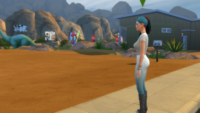 Chapter One – Starting Anew
 November 2025 Dev Diary
 Welcome to my new webhost!!
 Progress Report on Not So Berry & Timeline
 OMG A Thrall Post?? What?
 Jaynie’s Gems: By-The-Number