IllusoryThrall's Sims 4 Hub
- Challenges, Tips & Stories
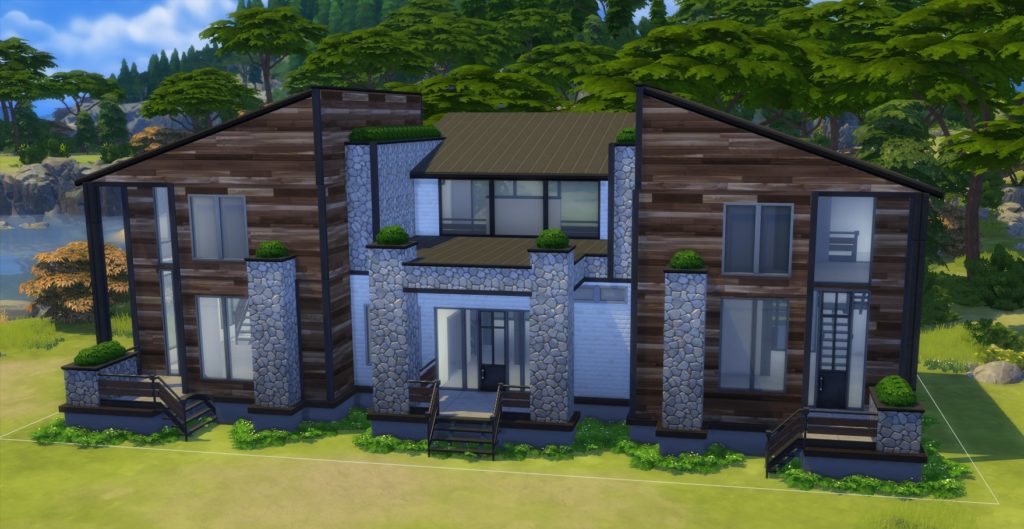
Yes, I have finally started on a full save file. Actually, two of them. I want to be as inclusive as possible, so I will be publishing what I call a “Base Game + 1” Save file, as well as my “Dream” save file. The “Base Game + 1” will be literally each build with only the absolutely required packs. So, a Haunted mansion in Forgotten Hollow would be Base Game + Vampires + Paranormal. A Club in Windenburg would be Base Game + Get Together…. And nothing else. I will be using the same building shell for each save file, but changing the packs used to decorate. There will also be sims included, most of which will come from my Twitch community. I will be including some empty lots (for legacies, or whatever), and some starter lots as well.
Now, I will warn you…. This is NOT going to be an instant sort of thing. I have only just begun working on this, and as of January 1st, 2022 – I am at about 8% complete. If you’re interested to see where I am now, check out my tracking spreadsheet, here: Thrall’s Save File Project. I will be keeping that document up-to-date as I go.
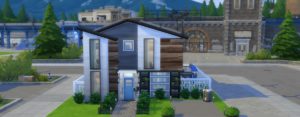
This was an early build for the full save file, and I really liked the way it turned out. It uses only Eco, Tiny Living, and Base Game, so it’s super easy to fit into any game save. It’s a two bedroom one bath home, with all the living areas downstairs, and the cutest little kitchen ever. Enjoy!
Continue reading →
Another Project? Of course. I can never have enough. This is an idea that has grown over time, and is seriously exciting. And yes, the featured image is one of the completed houses included in the project. I’m already a good way into the project, and so inspired it will probably take far less time to complete than most of my projects do… anyway. By now you’re asking what the heck I’m talking about.
A full base game save file!! Yes, you heard that right… it’s BASE GAME… that means everyone can use it no matter what packs you have managed to acquire. The idea started as me doing some “spring cleaning” in my save files. Initially I wanted to pull out a handful of special builds that I have never published nor finished… to turn into shells to pick from for the next shell challenge. But then, I ran into a problem. Instead of my target 3-4, I had 15 shells that all had something special about them, and there was no way that was going to work for one of my monthly shell challenges. Frustrated, I stared at my game, flipping through the worlds, making sure I hadn’t missed any, or maybe picked one that I could drop…. and while doing that, it occurred to me that Newcrest has 15 lots. Coincidence? Maybe… but it was a nice one. So the idea of a “Grab Bag” of shells with no due date began. I started painstakingly turning each of the selected builds into base game shells (which generally takes 2-3 hours per build!!), and I mentioned the idea to a few people, who loved it.

While this was all happening, I had already been looking for a safe, secure way to get any save file I make hosted for everyone to download. It turned out that my blog host has no way to upload that type of file…. and I have put so much time into this blog at this point, I don’t want to switch hosts right now. I could, conceivably, get separate web hosting and install my wordpress blog on there… but to do that, what I’m spending on my blog hosting would take a rather large jump upwards, which is something my budget isn’t going to handle anytime soon. …. Then I remembered Sim4FileShare. However, there was a problem there, too. I couldn’t get an account to upload save files to their database without having a personal invite. So I put in an application, and nothing happened.
So here I had a wonderful idea and no way to get it to people. I continued to work on the shells in the background, and time passed. While I was waiting and working, Sims started putting out these interesting scenarios – that I love the idea of, but NEVER have time to play. Unfortunately, most were time-gated. So if you didn’t start the Scenario while it was active the only way to get to it was a mod. However.. the catch here is … if you have a save with that scenario – the scenario doesn’t go away until you either complete it or do something against the hidden “rules” of the scenario to get it cancelled.
At almost exactly the same time as I finally got my invite to Sims4FileShare… the idea occurred to me that if I put together a base game Newcrest.. what was I going to do with Willow Creek and Oasis Springs?? One of my Twitch community members suggested adding some sims I created to make the shells playable once furnished, and while that sounded interesting, I didn’t want to influence players’ furnishing choices by giving them a pre-made family for each house. However, Willow Creek and Oasis Springs had plenty of room… and plenty of townies that many players are, quite frankly, pretty tired of. So, I started thinking about adding families and houses to Willow Creek and Oasis Springs and deleting everything that is default when you start up a new game – the houses, the commercial lots, and the townies.
Somehow in the middle of all this, the Scenarios came back into my head… and the very beginnings of an idea started. What if… I could put more than one Scenario family into one save. They could be played rotationally with the correct world settings, provided that it was possible. After some testing, I discovered that there doesn’t seem to be a limit on the number of scenario-based families you can have in a save! And, even better than that – the scenarios are available to base game… and if you start a past timed scenario under the mod I use, you can save the file, and load it up without the mod with no issues and the scenarios remain intact.
Suddenly I put everything together. Willow Creek and Oasis Springs could be dedicated to families designed to play each of the EA Scenarios (there are 17 different ones currently, plus 2 that are near duplicates). I could build some base game commercial spaces to replace the default ones, and make the save playable with the correct settings for playing each family separately. The other “played” families don’t age or progress (again, with the correct settings), so their scenarios will be ready to play whenever you are.
So, at the end of this long story.. we have a whole new beginning. Thrall’s Grab Bag save file was born. I’ve been obsessing over it ever since. Every spare moment I have has been going into working on it, and if I’m not at my computer, I’m thinking about it. Today, I decided I needed to actually write down all my plans for the save. If you know me, you know I love playing with spreadsheets to organize information. So I put one together, which took a few hours, but was ultimately worth it. I now have an easy way to see what I’m planning, and a not-so-simple-to-make graph that shows me how far along I am in the project.

Those who are good at reading charts can see that Newcrest is 2/3 finished, and that I’ve already made some progress on Oasis Springs and Willow Creek… making my total progress until publication at exactly 1/4 of the way along. Obviously, this only tracks the stuff that’s actually finished and checked off – I have several builds that are only partially done, so they cannot be checked off (yet). I also have picked out floor plans and designs for all of the homes I have to build, and about half of the commercial venues. So, there’s quite a bit more “done” than actually shows up on the above graph. (The “Current Total Completion” takes into consideration that Oasis Springs and Willow Creek do not need to be filled up to be “finished,” and that I have to make the families separately.)
Now, obviously, EA will likely continue to publish scenarios. I will continue to add to the file in the future with the new scenario families and their homes until Willow Creek and Oasis Springs are full, but I will not wait until the towns are full to first publish the file.
For those who like spreadsheets, I will provide the link to the spreadsheet I used to get that graph, although, quite frankly, I don’t know how much is understandable without the notes I have in my notebook that go with all the information. Link below: https://docs.google.com/spreadsheets/d/1nMi3PksthPlj4hDPHSkrbwN0uIBO7WW_8Zx4Jz6mb5g/edit?usp=sharing
I do hope to have the file up and ready to download sometime within the next month, but – as anyone who’s ever started a new project knows – timetables are ridiculously hard to pin down when you’re already a busy human with other responsibilities. *smile* I will continue to post progress updates, pictures, and the spreadsheet I linked will have the actual current completion percent on it. (The above graph is just a snapshot, it will not change.) … Wish me luck! (Oh, yeah, and I’m not going to quit work on my other projects, they may just go on a little bit of a hiatus…)
I fixed the chart, made it easier to read. You’ll need to click on it to see it full size, though.

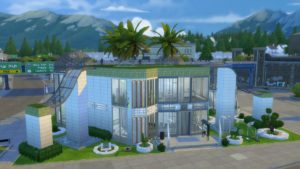
This lot started out as a “chat decides” build, in other words, all of it was voted for by chat. They decided where, and what, and how I was building, and I went from there. So, a strange shaped modern-ish Community Center build is what we ended up with. It got included in the save file because it’s pretty darn impressive. (And because … how many four-part builds do I really want to have to do?!) This one is designed for the Sprucewood Square lot in Evergreen Harbor.
Continue reading →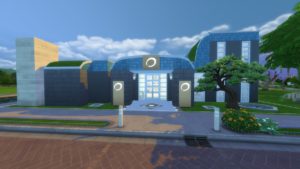
This is a fully play-tested and working spa. Designed for Tranquil Crescent in Newcrest. Full service spa with massages, manicures and pedicures, pool, yoga, meditation, hot springs, saunas and baths. Enjoy!
Continue reading →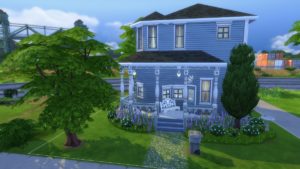
This is the first lot I built for my save file. The title pretty much covers it. It’s Tiny, and it’s Victorian. Download >> here << It’s designed for the Crick Cabana lot in Willow Creek.
Continue reading → 
 BIG ANNOUNCEMENT!!
 Chapter One – Starting Anew
 November 2025 Dev DiarySuperSweetBot Commands for Mods & BroadcastersOctober 2025 Dev DiaryProgress Report!Hacking Situation ResolvedHey all…
 Welcome to my new webhost!!
 Progress Report on Not So Berry & TimelineExtended Not So Berry 2.0 is coming!!
 OMG A Thrall Post?? What?Not So Berry Updating
 Jaynie’s Gems: By-The-NumberToday